

First Capture
Start and stop your first note with as little friction as possible.
First Capture
The goal of the first capture is not perfection. The goal is to prove that the flow is fast, recoverable, and readable later.
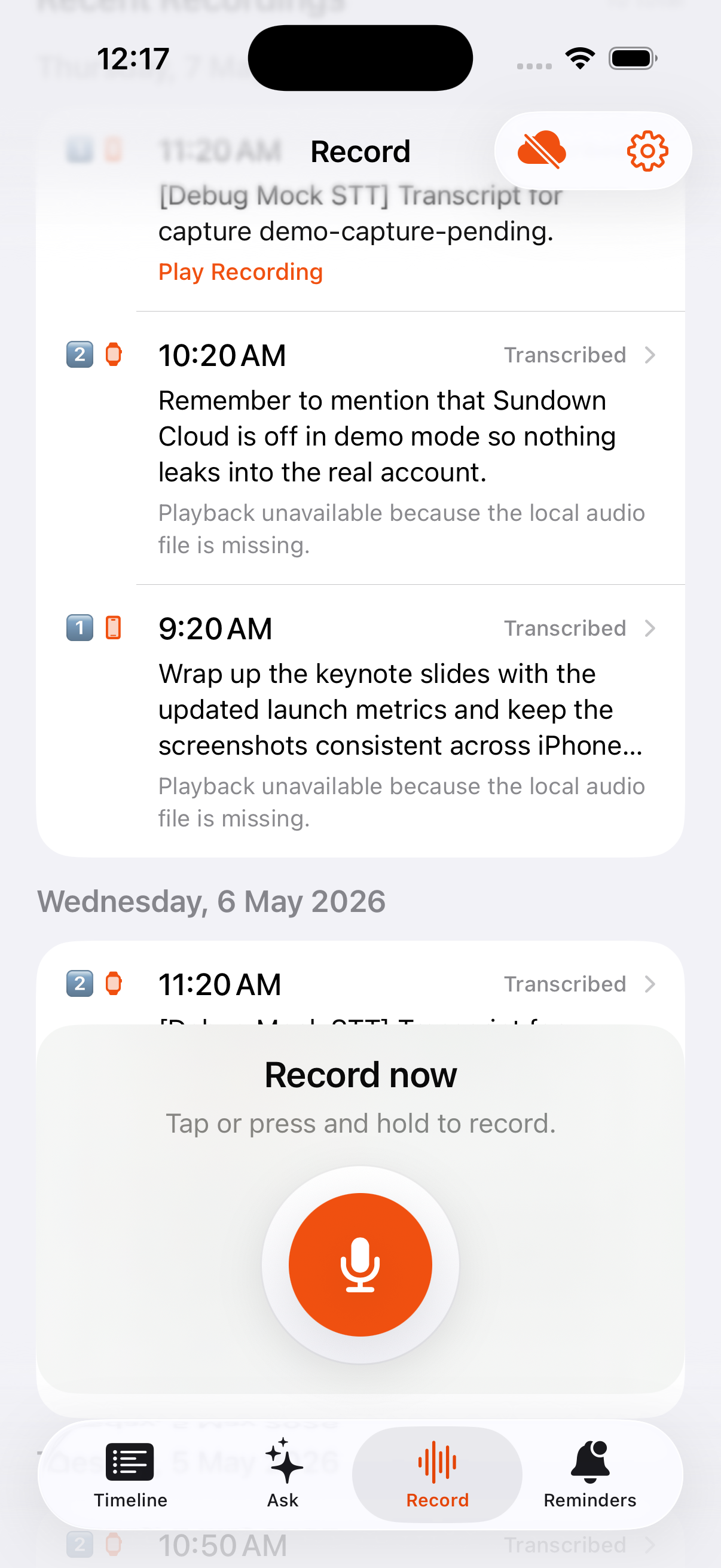
Step 1. Start
Tap Record on iPhone, use the Apple Watch surface, or launch from a lock-screen entry point. On iPhone, Sundown asks for microphone access the first time you open the Record tab so the system prompt is out of the way before you start speaking.
Step 2. Speak
Say one thought, one reminder, or one long idea. Sundown buffers the audio locally before it turns the recording into a saved transcript.
Step 3. Stop
Stop recording when you're done. The rest of the work happens after capture. The recording is saved locally first, so if transcription or syncing needs a retry, the capture stays visible instead of disappearing.
What to look for
- A transcript appears in the timeline.
- The day view shows the new capture.
- If processing needs another pass, the Record tab shows
Needs retryand lets you retry from the recording history. - Sundown Cloud syncs the capture in the background if you are signed in.
- Any exported Markdown or GitHub updates happen later as generated outputs, not as the thing that makes the capture succeed.
- Any optional AI or sync work happens without blocking the next capture.
If something goes wrong
- Use
Cancelif you want to discard the in-progress recording. - Check Settings > Advanced if the capture does not transcribe or sync.