Timeline and Daily View
Review captured notes by day and by sequence.
Timeline and Daily View
Timeline is the place to browse captured thoughts in order. Daily View is the place to read everything from a specific day, including captures still being processed.
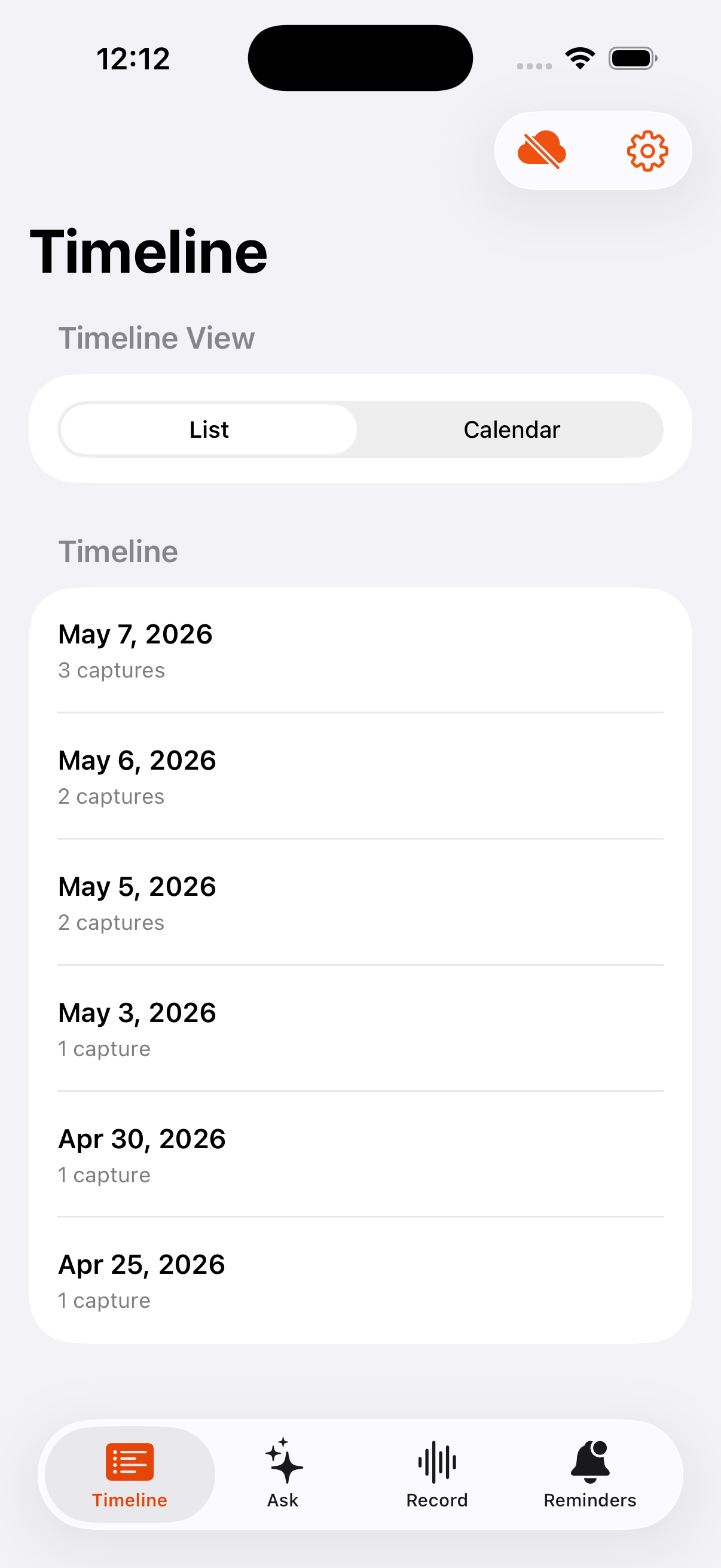
Timeline list mode keeps recent days readable at a glance.
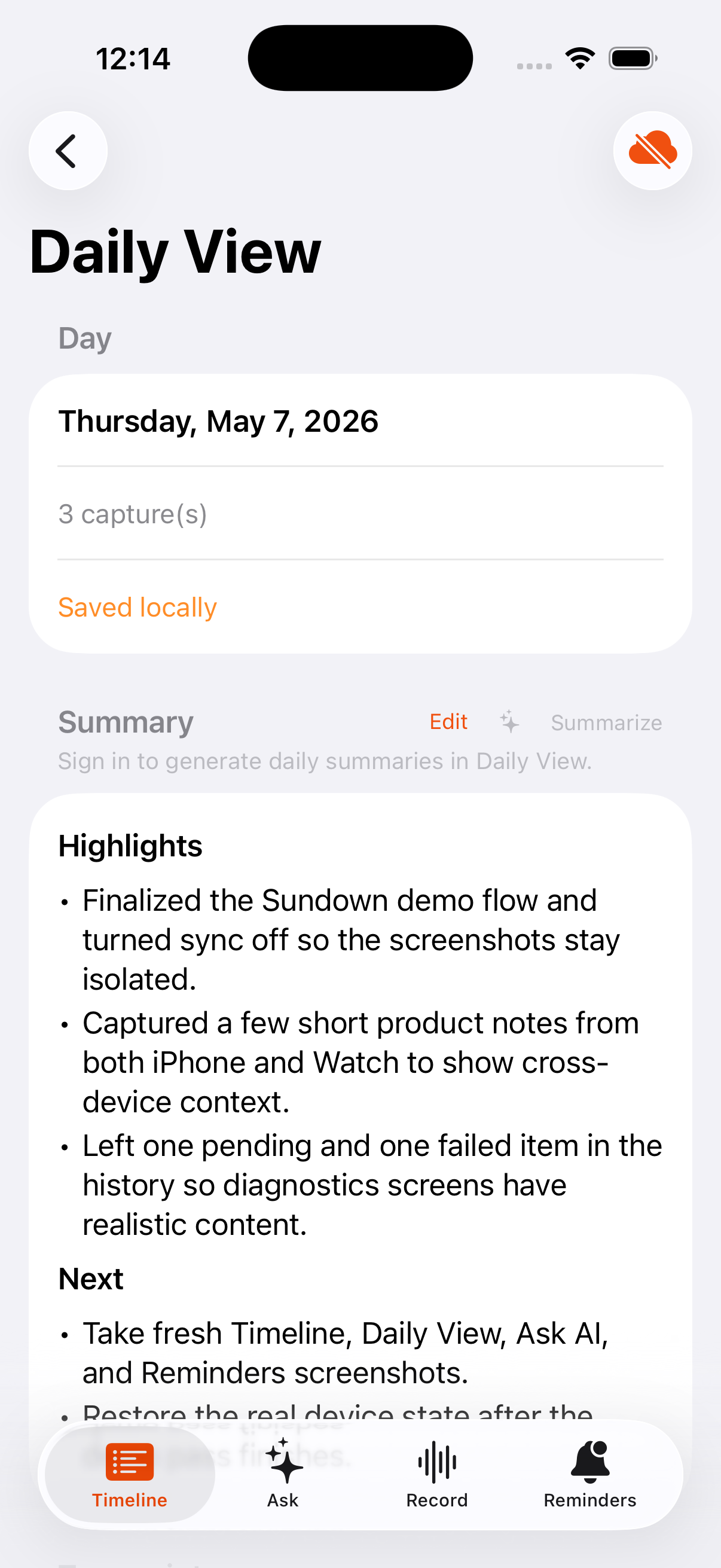
Daily View opens a specific day with transcripts, status, and recordings.
Timeline
Use the timeline when you want to scan recent captures, jump between days, or inspect the state of a capture after transcription finishes. The visible capture count matches the recordings Sundown has for that day.
Daily View
Use Daily View when you want a day-shaped view of everything Sundown has saved for that date. It shows processing status when some captures are still pending.
What Daily View includes
- Finished and unfinished captures for the selected day.
- Capture counts that match the rows you can open.
- Exported day files that stay in sync as generated copies.
- A usable day view even while some captures are still processing.